Marketing Automation copyright of Stars & Fishes, ltd.This article describes how to implement 3 automation tactics, actual for 2019 international marketing practice and relevant for the majority of B2B and B2C companies with different customer base sizes (FMCG mates - don’t skip, I’ve got you also covered). This material is based on key global industry reports for the past 6 months (including Statista, Gartner, Intercom, Adobe Marketo and etc.) and my own experience with 50+ marketing automation SaaS "test drives” during the period. Each description is followed by a short “how-to” summary, so you can start implementing right after you finish the read. Some points may seem very obvious for “veterans of digital transformation” (still valuable as an executive summary, I am sure), but my objective was to make it clear for all marketers, including those who are quite new to automation in general. Keep scrolling 🤟
—1— INSTANT REPLY TO CUSTOMERS ACTION

Marketing Automation copyright of Stars & Fishes, ltd.
Trigger:
A trigger is a captured user action that serves to launch an appropriate automated response. Set your trigger as a simple scroll down until a specific page divider or other relevant condition, depending on your content, for example:
—> user has interacted with more than 1 (or 2 or X) objects on a page,
—> specified time spent on site has passed,—> user has clicked a certain sequence of links (instant clicky demo: user clicks this, then clicks that and on third gets a live auto-reply)
If you’re new to triggers, - start with a most simple one, but avoid default pop-ups on the upload as they may badly influence your bounce rates. Having a behavior-based trigger in place you’ll grow engagement of already involved users, instead of showing “annoying commercials” for everyone arriving at your landing page. The “inbound” approach is a new leadership standard, and its importance will only increase further taking into account ads clutter and overall info pressure put on your potential customers. Treat users with respect to enjoy higher conversions.
How-to-trigger:
To build a specific trigger you’ll need to set your own tracking system. Custom trackers are included in most of the marketing automation SaaS on the market and most of them come “out of the box”, so no coding skills are required. You may ask for advice from your digital agency, but don’t miss an opportunity to test it with your own hands. Nowadays marketers are lucky to enjoy a lot of free trials offered by software service providers (here you can request a free PDF with 30+ most popular). Last but not least there’s a huge step forward in dashboard UIs, so building a sample campaign made as simple as building a powerpoint slide. Even with a starter solution like S&F simple automations, anyone can build simple triggers, while enterprise marketers who need top-level precise tracking should better look at premium level - for instance, you may book a demo of Adobe Marketing Cloud via one of your local Adobe Solutions partners.
Automated response scenarios examples:
Option #1: the user scrolls until the divider with pricing options —> instant reply “Questions on pricing? We can help”
Option #2: the user is scrolling down and at a certain divider he starts an interaction with one of animated elements on a landing page —> instant reply “wanna join our autumn promo campaign?”
For automation launch you can use various chat bot solutions, starting from the easy Facebook messenger, which comes with free options for individuals and small business and up to sophisticated chat bot SaaS like Intercom.
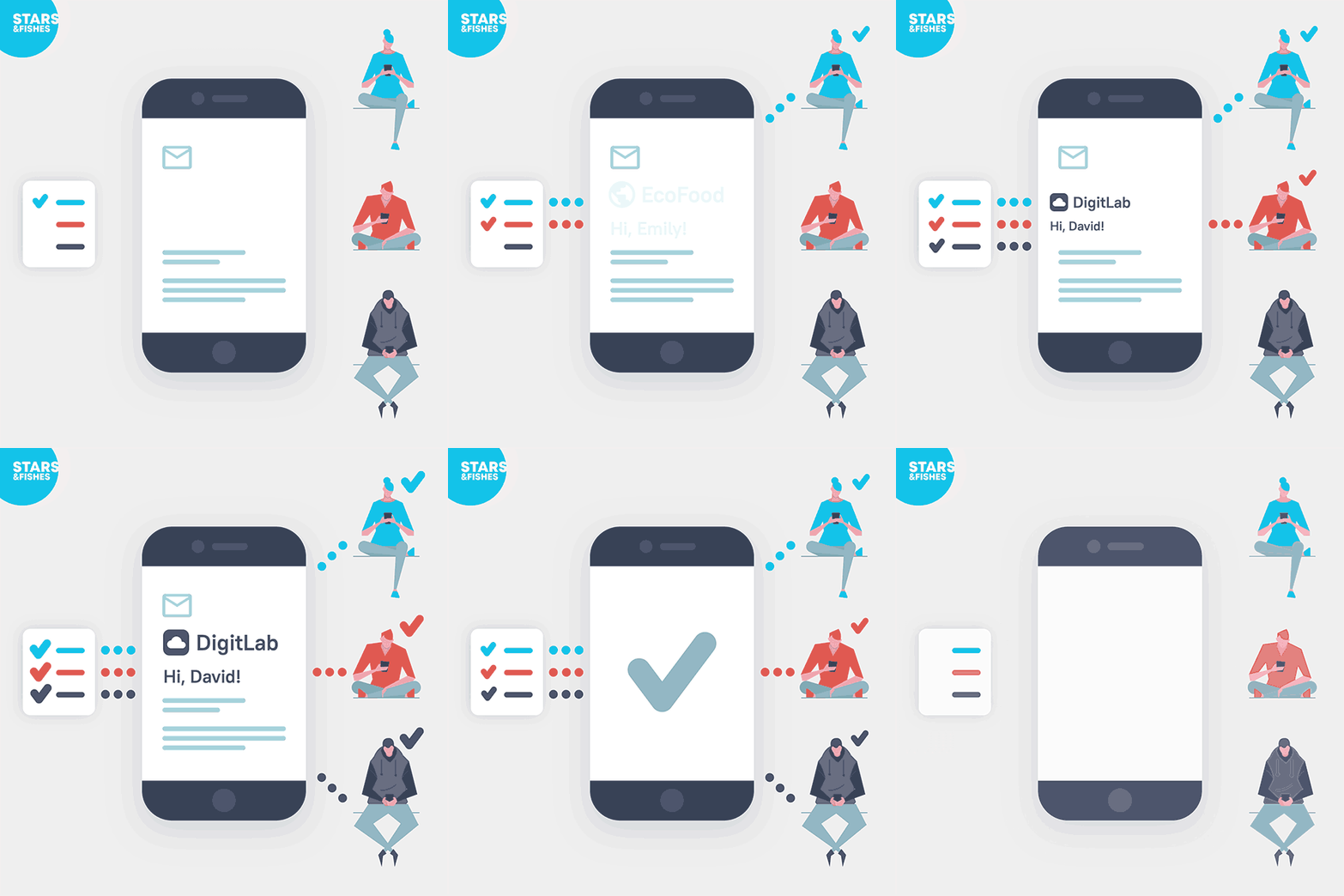
—2— GIVE PERSONALIZED CONTENT MASSIVELY BUT EXCLUSIVELY FOR EVERY LEAD IN PERSON
Marketing Automation copyright of Stars & Fishes, ltd.
Trigger:
To launch a specific action with personalized content you need to use the following triggers :
—> user has filled the form on your website,
—> user has left his name or other personal data in your in-app messenger or third party form (like a facebook page, Instagram or a blog page).
It’s also important to note that to deploy a personalization you may also use an existing database with contacts and other relevant data in an appropriate format, for example, *CSV file.
How-to-trigger:
In the most advanced solutions, like Adobe Experience Manager and Adobe Campaign, these trigger scenarios come as a regular option in the marketers dashboard. If you want to build something more easy, cheap or just test some ideas try S&F simply automation with build-in plug-ins (some scenarios will work for free just to demonstrate you the general ideas).
Automated response scenarios examples:
“We’ve got just what you need, {{NAME}}!”
“An offer exclusively for {{COMPANYNAME}} {{LOGOPNG}}{{BODYCOLOR}} employees”_
__
Option #1: mail list scenarios
Option #2: chat bot instant reply
Option #3: ads platforms with an enabled option of dynamic layers in ads (for example Facebook or Instagram)
To build automation you need your end program to receive a POST request API (available on most of the e-mail automation services, including S&F simple automation, chat bot messengers and leading social ads networks).
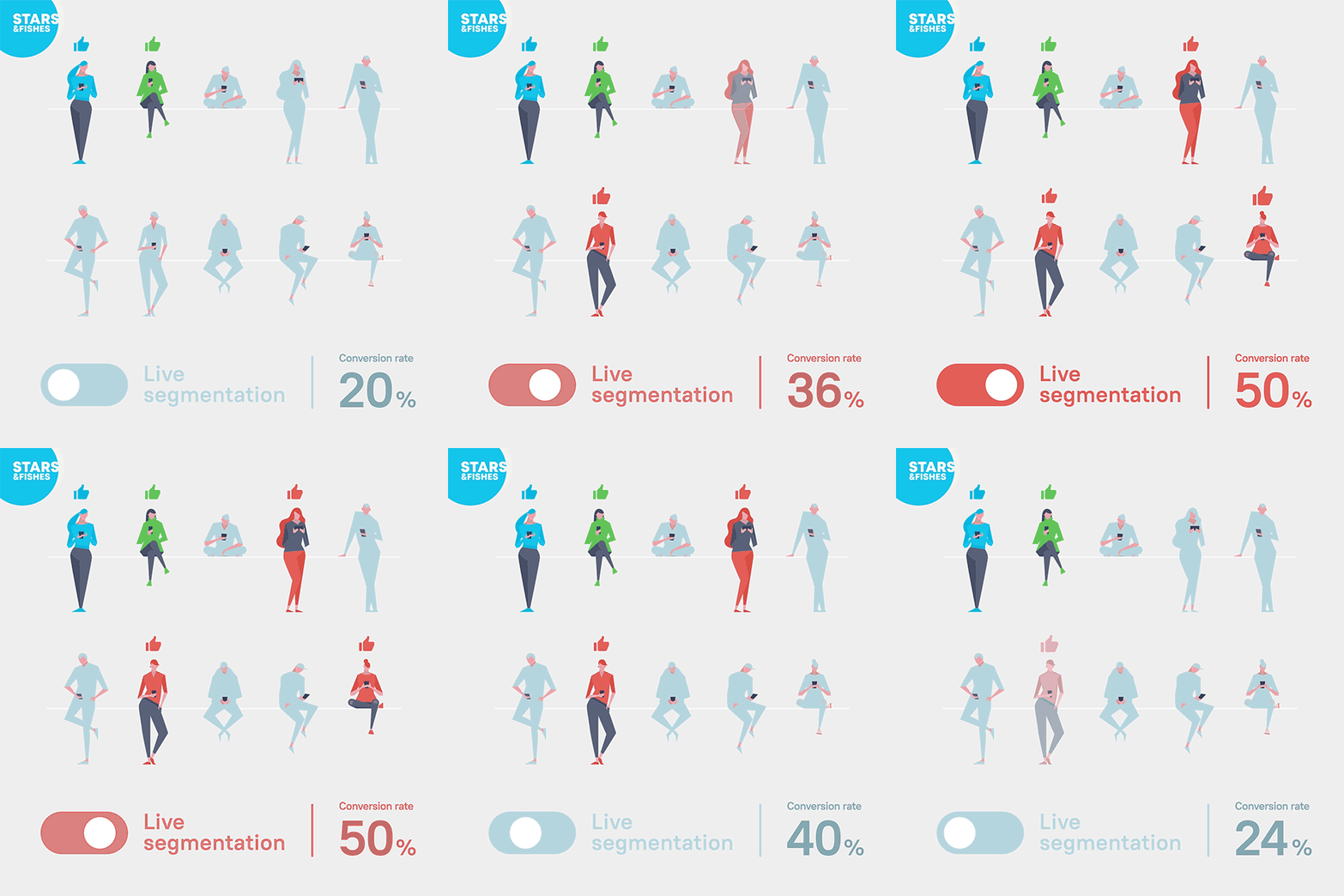
—3— LIVE SEGMENTATION OR “LOST LEADS ARE NO MORE LOST"
Marketing Automation copyright of Stars & Fishes, ltd.
Trigger:
Two common ways to trigger a next action for lapsing users are: 1) when user is about to leave the page (so you don’t have to pay for re-marketing) and 2) if that still does not work enough - propose a survey or a reward for recommending your service in further re-marketing campaign (instead of pushing promo to everyone). Collecting insights is most important in working with lapsed users, and getting more data instead a will bring you much more profit than pushing a promo discount (especially if you have to make deep discounts).
How-to-trigger:
To set up a trigger you’ll need to have one of the solutions, described in the first part of this article (UTM and a tracking system within your marketing automation platform).
Automated response scenarios examples:
“We see you’ve left, but we really value your opinion”
“The reasons why you’ve left can make our service much better”
“Let’s build an ideal service together”
Option #1: a mail if a person has previously subscribed
Option #2: the last call for unsubscribed users with a certain reward to pass the survey
Option #3: ads platforms with an enabled option of dynamic layers in adsTo build this response you need to have an appropriate
SUBSCRIBE TO GET MORE INFORMATION ON THE TOPIC FOR FREE IN OUR CHAT-BOT
If you’re interested in learning more about marketing tech and do it regularly, please subscribe to my marketing automation newsletter. There’re also free live webinars which I make for my subscribers once a week.
With best wishes, Denis Lelin Head of Marketing Solutions at S&F simple automation, Adobe Marketing Cloud professional, Adobe Solutions Partner